· 3 min read
The item wheel
How to pick a weapon in the middle of danger without taking your eyes off the game: the wheel, its sections, the shortcuts and each weapon's upgrades.
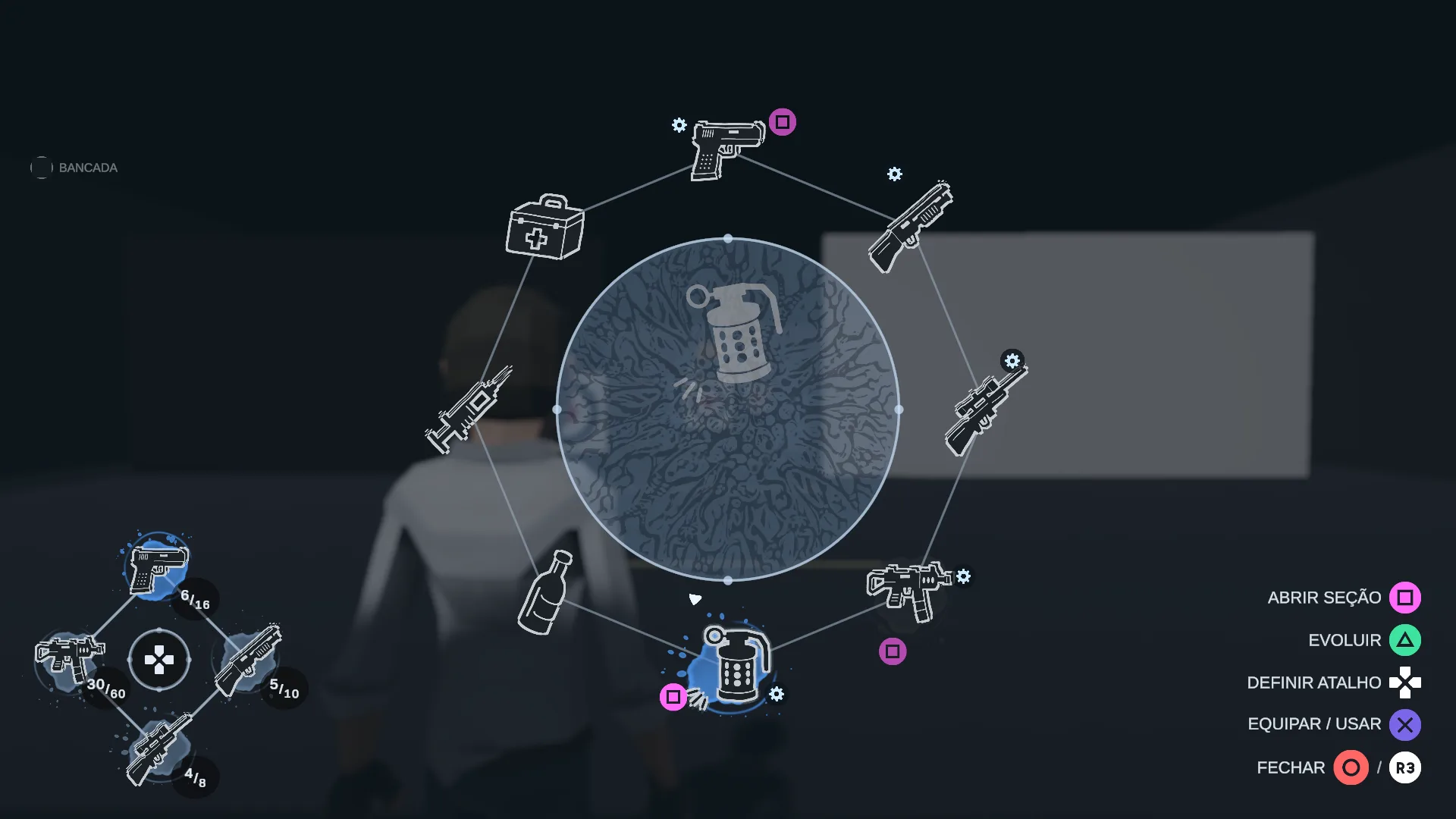
In a survival horror game, opening the inventory is a risky moment: the enemy keeps coming while you look for the right weapon. I wanted picking to be quick and easy to read, and the danger to stay on screen while you do it. The answer was a wheel.
And the inspiration has a name: The Evil Within and Resident Evil. I've played both many, many times, and the way they let you pick a weapon is one of the things that stuck with me the most. Opening it in the middle of a tight spot, the world almost frozen around you and the right weapon in hand in a second. This wheel was born from that, adapted to what this game needs.
Time almost stops... NOT
With the wheel open, the game slows down to a tenth of its speed. There's time to think, but the world keeps moving behind it, and that's what keeps the tension up. The stick points at an item, and the wheel shows its name, magazine and reserve in the center.
Sections, so it doesn't become a thirty-item wheel
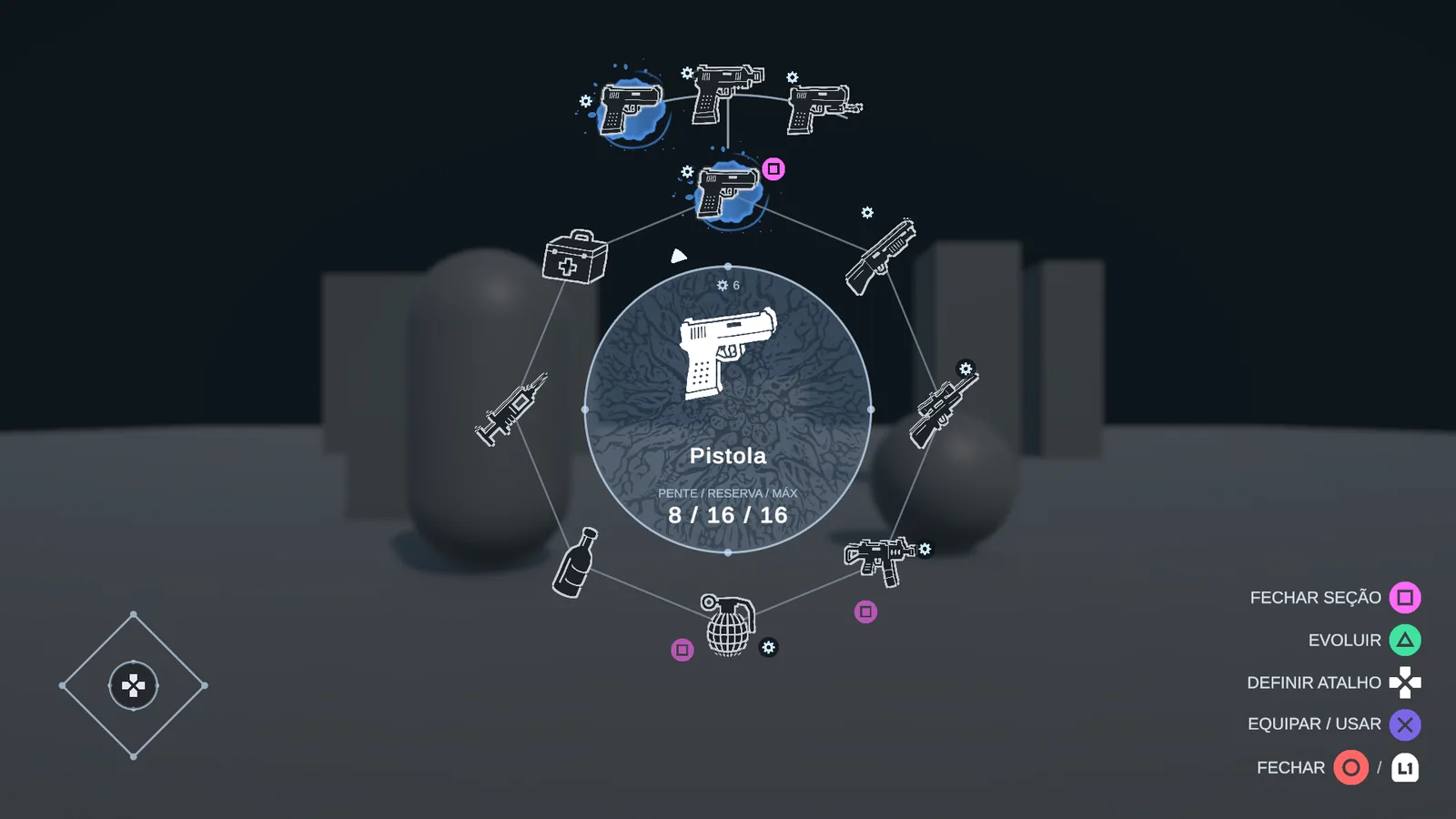
For now, the arsenal has three pistols, a shotgun, a sniper rifle, an SMG and an assault rifle, three grenades, the bottle, the syringe and the first aid kit. Putting everything in a single ring would make a thirty-item wheel, impossible to use when you're scared. So similar items share a slot: the grenades form a section that opens up, and the machine guns another. The wheel stays short and similar things stay together.
Shortcuts and upgrades
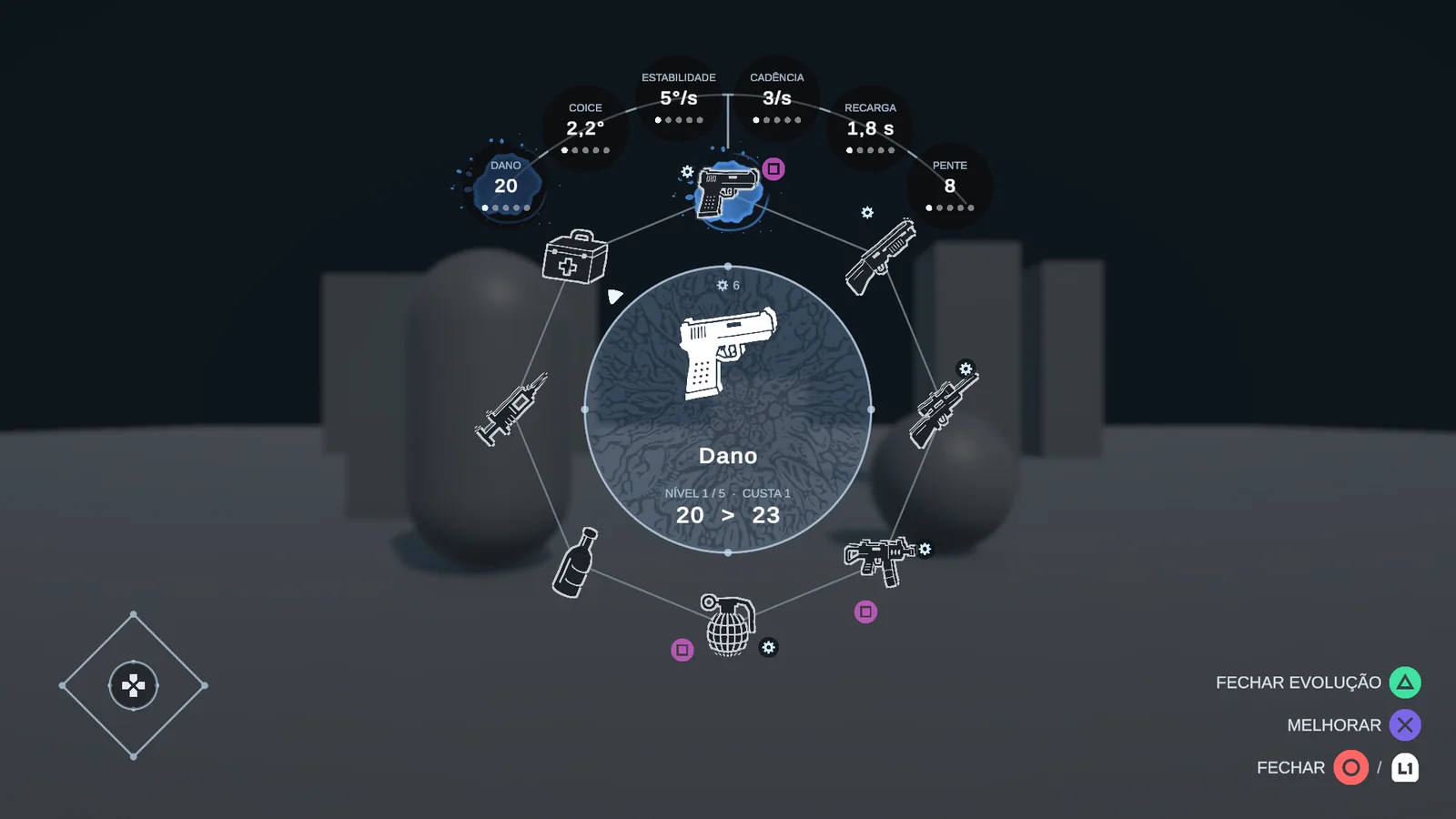
The four sides of the controller's D-pad hold shortcuts. With the wheel open, you press a side to store the item there, and later, mid-game, the shortcut switches weapons without opening anything. Each weapon is also upgraded from the wheel itself (damage, recoil, fire rate, reload, magazine), and its level shows next to the icon. All without leaving it. And honestly, I'm amazed at how much this one menu solves at the same time.
The HUD speaks the same language
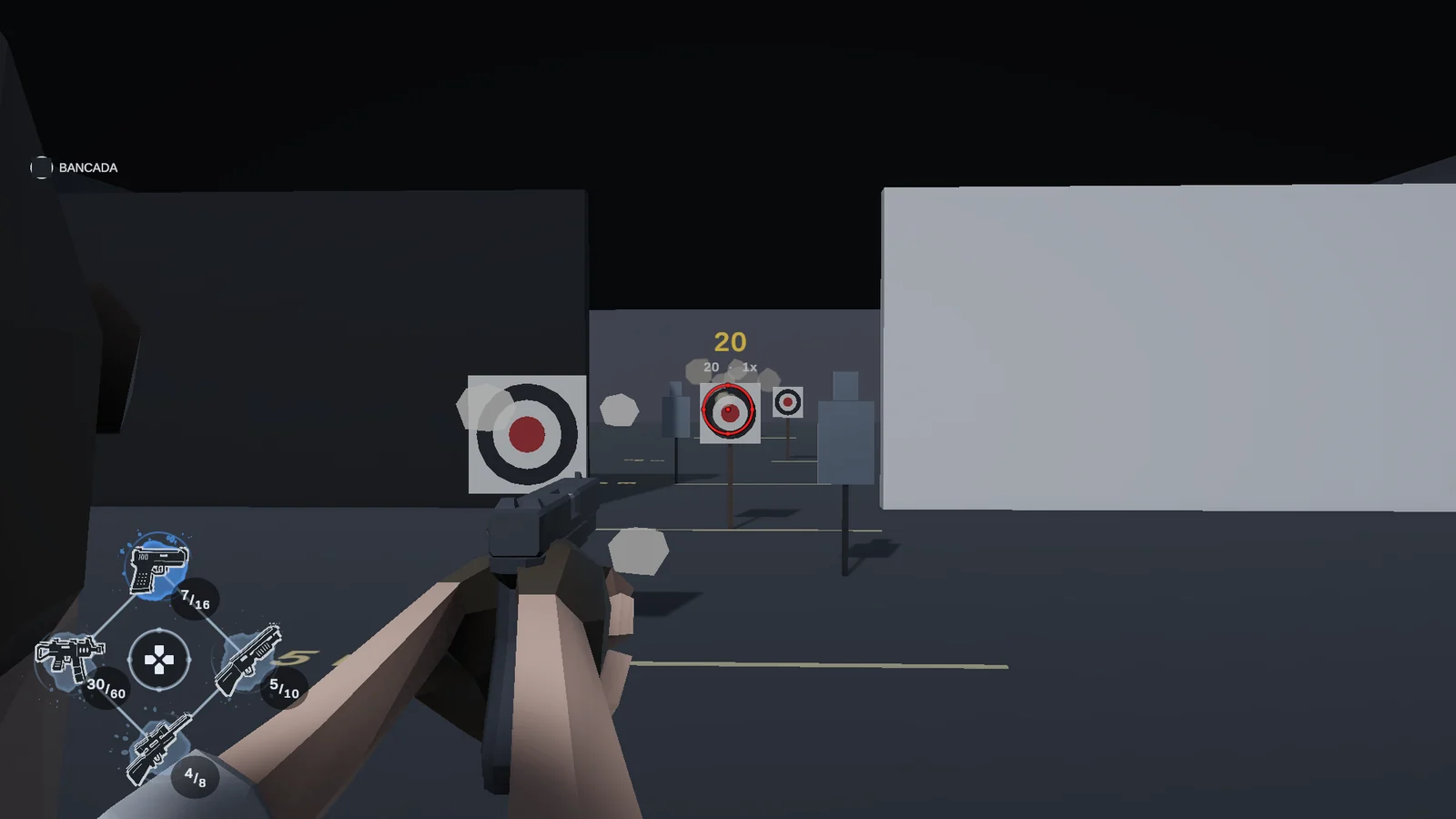
Outside the wheel, the HUD repeats its design: the shortcut cross in the corner, the weapon in hand with magazine and reserve, and health in a circle. Once you've learned the wheel, you can already read the HUD without me explaining anything.
The panels behind the wheel
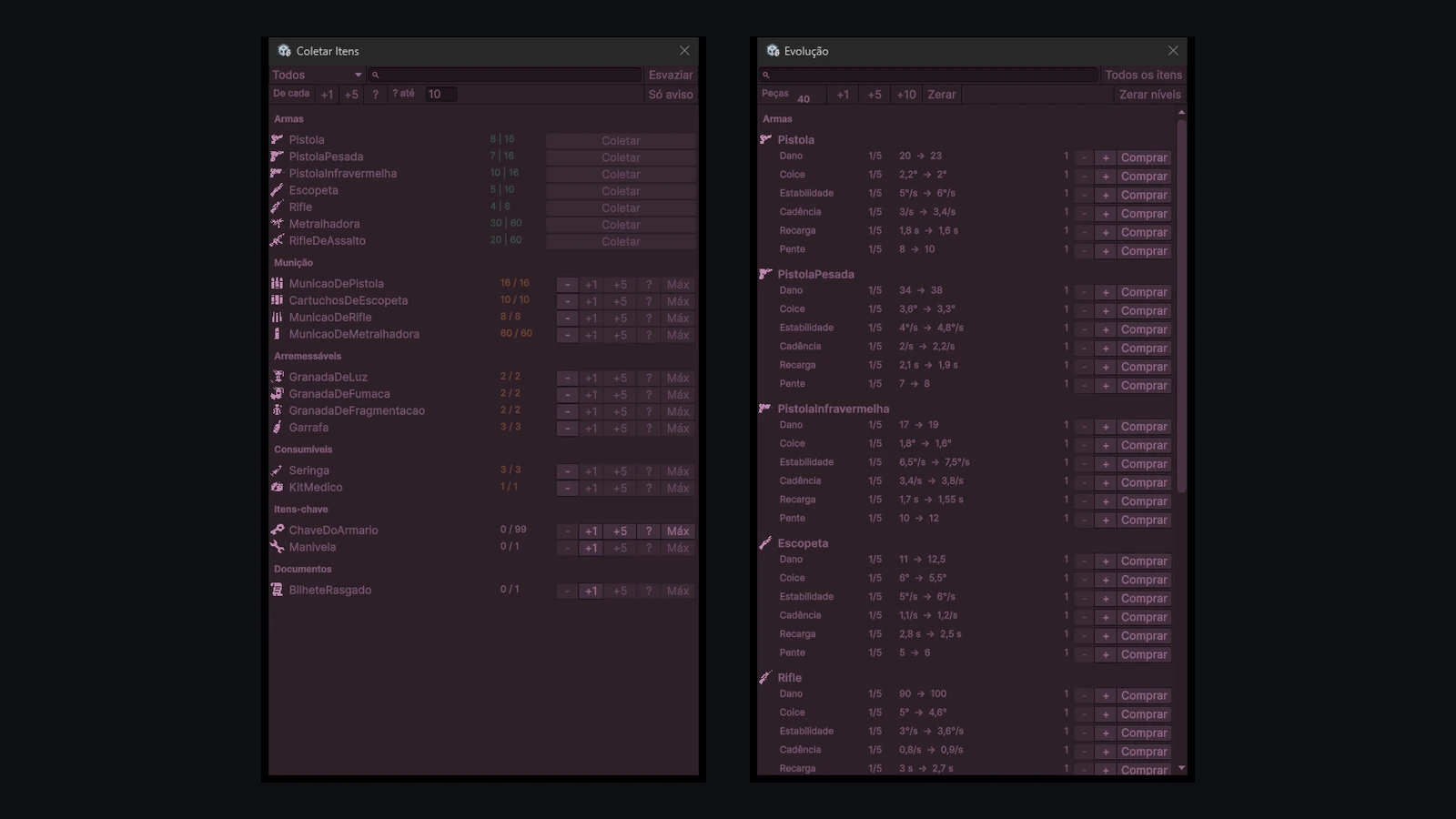
Testing a full wheel by actually playing would cost me an hour of hunting for ammo every time I changed something. So I made two panels just for that. In one I grab any item in the game, in whatever amount I want. In the other I push each weapon's upgrades up and down, stat by stat, while the game runs. They're what let me work on the wheel without losing my mind.